



If you've ever run a small business, sold something at a pop-up, or operated a stall, you probably know the hassle of accepting card payments.
You usually need a card terminal or payment reader and that's another piece of hardware to buy, carry and maintain.
But that is changing in Malaysia.
Apple has officially brought Tap to Pay on iPhone to Malaysia, allowing businesses to accept contactless payments using just an iPhone, without needing an additional payment terminal. The feature became available in Malaysia on 22 April 2026.
Here's what Malaysian business owners need to know.
What Is Tap to Pay on iPhone?
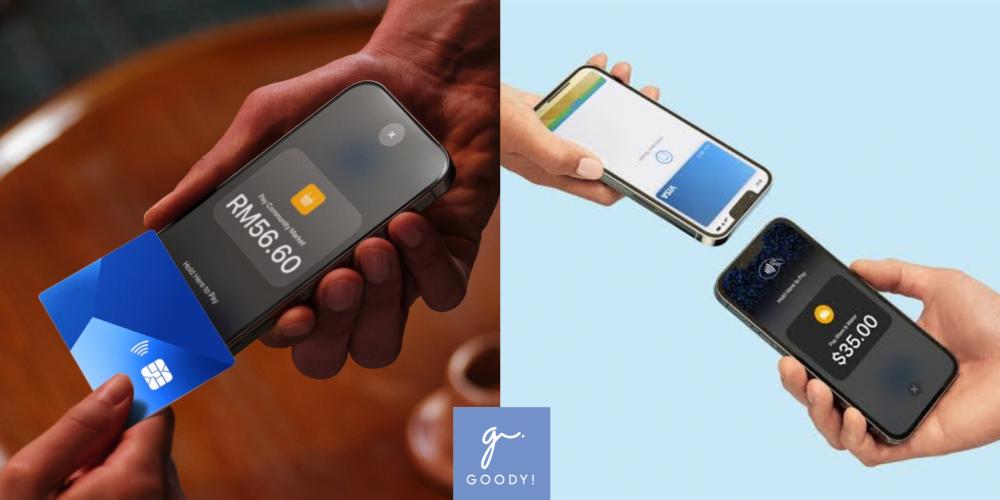
Tap to Pay on iPhone is a feature that turns a compatible iPhone into a contactless payment terminal.
Instead of tapping their card on a traditional card reader, customers can simply hold their contactless credit or debit card, iPhone, Apple Watch or supported digital wallet near the merchant's iPhone.
The payment is then processed using NFC technology through a supported payment app. No additional card reader or terminal is required.
In simple terms:
Your iPhone can now act as your card machine.
Who Is It For?
Tap to Pay on iPhone is designed for merchants and businesses, rather than individuals who simply want to transfer money to friends.
It could be particularly useful for businesses that accept payments on the go.
For example:
A café owner can accept card payments directly through an iPhone.
A freelancer can collect payment from a client without carrying a card terminal.
A market stall owner can accept contactless payments at a weekend market.
A beauty professional can take payment after providing a service at a customer's location.
A pop-up seller can accept payments without setting up a traditional checkout counter.
Apple says the feature is designed for businesses ranging from small operations and street food stalls to larger retailers and restaurant chains.
What Do Merchants Need?
Getting started doesn't require a separate card reader, but there are a few requirements.
You'll need:
An iPhone 11 or later
The latest version of iOS
A merchant account with a supported payment provider
A compatible payment app that supports Tap to Pay on iPhone
Apple says Tap to Pay on iPhone requires an iPhone 11 or later and works best with the latest version of iOS.
What Payment Methods Can Customers Use?
Customers aren't limited to physical cards.
Depending on the payment provider and supported payment networks, merchants can accept:
Contactless credit cards
Contactless debit cards
Apple Pay
Other supported digital wallets
Compatible smartphones and wearable devices
Apple says Malaysian payment networks supported include American Express, JCB, Mastercard, MyDebit, UnionPay and Visa. However, specific card acceptance can depend on the payment provider and card.
So yes, a customer could potentially hold their iPhone or Apple Watch near your iPhone to pay.
Which Payment Providers Support It In Malaysia?
When Apple launched Tap to Pay on iPhone in Malaysia, the first participating payment platforms included:
ADAPTIS
Fiuu
HitPay
Stripe
Zoho
These providers integrate Tap to Pay on iPhone into their respective payment or business apps.
The available features, fees and requirements can differ between providers, so merchants should check the terms of their chosen provider before signing up.
How To Get Started
The process is relatively straightforward.
Step 1: Choose A Supported Payment Provider
Sign up with a participating provider such as ADAPTIS, Fiuu, HitPay, Stripe or Zoho.
Step 2: Create Your Merchant Account
You'll need to provide the required business and verification information before you can start accepting payments.
Step 3: Download The Payment App
Install your provider's supported iOS payment app on your iPhone and follow its setup instructions.
Apple's App Store currently lists apps including Adaptis Tap to Pay, Fiuu VT, HitPay, Stripe Dashboard and Zoho Books as examples of apps supporting the feature.
Step 4: Enable Tap to Pay on iPhone
Follow the instructions within the payment app to activate Tap to Pay on iPhone.
Step 5: Accept The Payment
When a customer is ready to pay, enter the amount in the payment app and present your iPhone.
The customer can then hold their contactless card or payment device near the designated area on your iPhone.
That's it.
No separate card reader needs to be connected.
Is It Secure?
According to Apple, security and privacy are built into Tap to Pay on iPhone.
Transactions are encrypted and processed using the Secure Element, the same security technology used to protect Apple Pay transactions.
Apple also says it doesn't know what customers are purchasing or who is making the purchase, and it doesn't store card numbers or transaction information on the device or Apple servers.
Of course, merchants still need to follow their payment provider's security, verification and transaction requirements.
What About "Tap to Cash"?
Here's where things get a little confusing.
You might have heard of Tap to Cash, Apple's feature that allows people to exchange money by bringing their iPhones or Apple Watches close together.
But Tap to Cash is not the same thing as Tap to Pay on iPhone.
Tap to Pay on iPhone is designed for businesses accepting customer payments.
Tap to Cash is a separate Apple Cash feature, and Apple Cash availability is limited to supported regions. It isn't a way for Malaysian users to simply tap their iPhone together and send money to a friend.
So if you're trying to split the dinner bill with your friend in Malaysia, you'll still need to rely on options such as DuitNow Transfer, bank transfers or other supported peer-to-peer payment services.
Is This A Big Deal For Small Businesses?
It could be.
For small businesses, freelancers and mobile sellers, one of the biggest advantages is that they don't necessarily need to purchase and carry a dedicated card terminal just to accept contactless payments.
A seller can potentially have their payment setup on the same iPhone they already use for communication, business management and other daily tasks.
It could also make sense for businesses that operate in temporary or mobile locations, such as pop-ups, markets, events and mobile services.
But remember: Tap to Pay on iPhone doesn't mean payments are completely free.
Payment providers may still charge transaction or service fees, and merchants should check the pricing, settlement times, supported cards and other terms before choosing a provider.
So, Can Malaysians Really Turn Their iPhone Into A Card Terminal?

Yes.
With Tap to Pay on iPhone now available in Malaysia, eligible merchants can accept contactless payments directly through a compatible iPhone and supported payment app without purchasing an additional payment terminal.
For small businesses that want to keep things simple, this could be one less piece of hardware to worry about.
Just remember the key difference:
Tap to Pay on iPhone = accepting payments from customers.
It does NOT mean you can simply tap your iPhone against your friend's phone to transfer money.
For Malaysian businesses, however, the first part is now very much a reality.